So, you want to boost your website’s performance and get more visitors to actually do what you want them to do – buy something, sign up, download a report, you name it? That’s the essence of Conversion Rate Optimization (CRO), and honestly, it’s less about magic spells and more about smart, practical tweaks. The short answer to “Conversion Rate Optimization Tips That Work?” is: focus on your users, make things crystal clear, remove friction, and test everything.
Let’s dive into some concrete strategies that actually move the needle, based on what we’ve seen work in the real world.
This is the bedrock of any successful CRO effort. If you don’t know who lands on your site and why, you’re essentially guessing. And guessing is a terrible business strategy.
Digging into Your Analytics
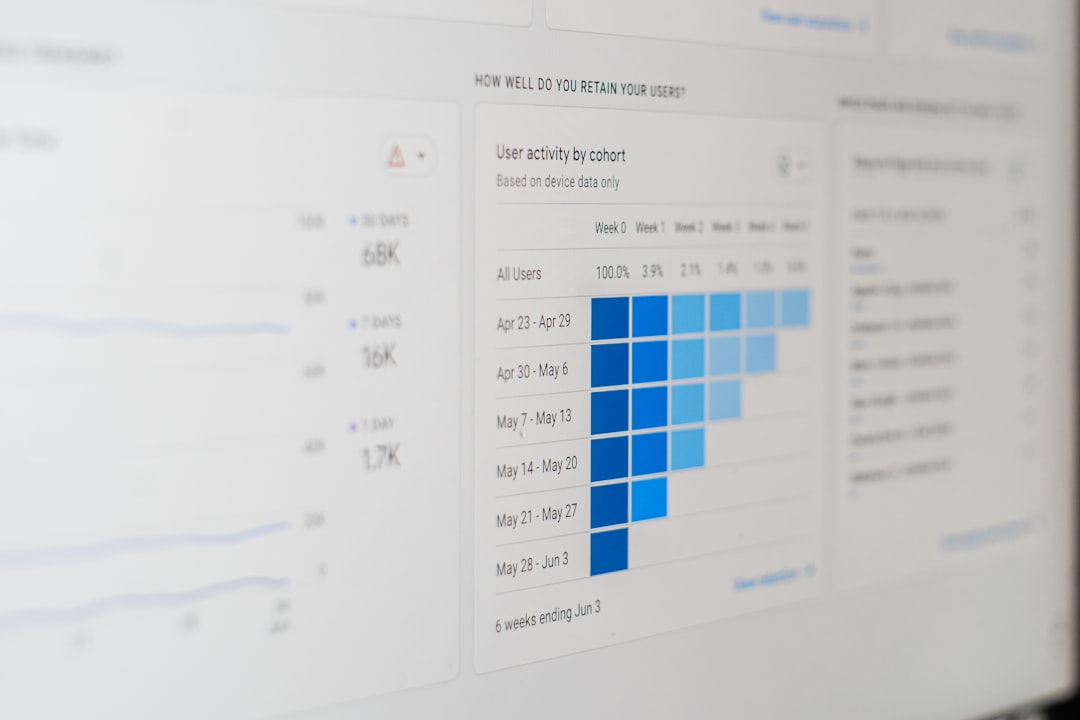
Your website analytics platform (like Google Analytics) is a goldmine of information. Don’t just glance at the surface numbers; dig deeper.
Traffic Sources: Where Are They Coming From?
- Organic Search: These users likely have a specific need or problem they’re trying to solve. Tailor your content and calls to action to match their search intent. Are they looking for information, comparisons, or ready to buy?
- Paid Search: These visitors are often further down the funnel. They’ve probably clicked on a targeted ad, so ensure your landing page directly addresses the promise of that ad. Inconsistencies here tank conversion rates.
- Social Media: Depending on the platform, social visitors might be browsing or actively seeking recommendations. Content needs to be engaging and relevant to the platform’s user behavior.
- Referral Traffic: See which websites are sending you visitors. Are they relevant? If so, strengthen those relationships. If not, figure out why you’re getting unqualified traffic.
- Direct Traffic: This can indicate brand awareness, but also bookmarks or typing your URL. It’s harder to attribute intent here, so focus on making the core experience strong for these users.
Demographics and Interests: Who Are They?
- Age, Gender, Location: Are these aligned with your target customer? If not, you might be attracting the wrong audience, or your messaging isn’t resonating.
- Interests: This can reveal unexpected connections. Perhaps your visitors are interested in related hobbies or industries that inform how you can position your product or service.
User Behavior: What Are They Actually Doing?
This is where you see your website through your visitors’ eyes.
Bounce Rate: The “Nope” Factor
A high bounce rate on a key landing page signals a problem. Are they not finding what they expected? Is the page slow to load? Is the initial impression off-putting?
Pages Per Session: Engagement Level
Are users exploring your site, or leaving after hitting one page? Low pages per session might mean your navigation is confusing, or content isn’t compelling enough to encourage further exploration.
Average Session Duration: Are They Reading?
Do people spend time on your important pages? A short duration on a product description or blog post might mean the content is too dense, too shallow, or not engaging enough.
Customer Feedback: Ask Them Directly
Analytics tell you what people do. Feedback tells you why.
Surveys: Targeted Questions
- On-Exit Surveys: Ask visitors why they’re leaving without converting. “What was missing from your experience today?” or “What prevented you from completing your purchase?” can yield gold.
- On-Page Surveys: For lower-traffic pages or specific user segments, ask about their experience. “How easy was it to find the information you needed?”
User Testing: Watch People Use Your Site
This is one of the most powerful CRO tools. Get real users (ideally from your target demographic) to perform specific tasks on your website while you observe. You’ll uncover usability issues you’d never find on your own.
Support Tickets and Live Chat Logs: Real-World Problems
Your customer support team has a direct line to user pain points. Analyze their queries. Are there recurring questions about pricing, shipping, or how to use a feature? These are opportunities for clarity and improvement.
Streamlining the User Journey: Cut the Detours
Think of your website as a path. CRO is about making that path as smooth, direct, and obstacle-free as possible.
- Logical Structure: Is your main navigation intuitive? Can users find what they’re looking for within a few clicks? Avoid jargon in your menu labels.
- Clear Labels: Use descriptive words for your menu items. Instead of “Resources,” try “Learning Center” or “How-To Guides” if that’s more accurate.
- Search Functionality: A robust search bar is crucial. Ensure it provides relevant results and handles typos gracefully.
Landing Pages: The Welcome Mat (and The Sales Pitch)
- Match the Source: A landing page should directly reflect the ad or link that brought the user there. If an ad promises a discount, ensure the discount is prominent on the landing page.
- Single, Clear Goal: Each landing page should have one primary objective. Too many competing calls to action confuse visitors.
- Compelling Headline: Your headline needs to grab attention and clearly state the value proposition.
- Concise Copy: Get to the point quickly. Use bullet points and short paragraphs to make information digestible.
- Visual Appeal: High-quality images or videos that support your message can be very effective.
Forms: The Gatekeepers of Information
Forms are where many conversions happen, but they can also be conversion killers.
Form Length: The Less, The Better
- Only Ask for Essentials: Review every field. Do you really need that information right now? If not, remove it.
- Progressive Profiling: For returning users, only ask for new information.
Form Design: Make It Easy to Fill
- Clear Labels: Place labels above or to the left of form fields.
- Placeholder Text: Use placeholder text to provide examples or hints, but ensure it disappears when the user starts typing.
- Error Handling: Provide clear, inline error messages that explain exactly what’s wrong and how to fix it.
- Mobile Optimization: Forms must be easy to use on a small screen. Ensure fields are large enough to tap.
Checkout Process: The Final Hurdle
This is where trust and simplicity are paramount.
Simplify Steps: Fewer Clicks, More Conversions
- Guest Checkout: For e-commerce, forcing users to create an account before buying is a major roadblock. Offer a guest checkout option.
- Progress Indicator: Show users how many steps are left in the checkout process. This manages expectations.
- Minimize Form Fields: Again, only ask for what’s absolutely necessary for the transaction.
Build Trust: Reassurance at Every Stage
- Security Badges: Display trust seals (SSL certificates, payment provider logos) prominently.
- Clear Return and Shipping Policies: Make these easily accessible.
- Contact Information: Provide readily available customer support options.
Enhancing Calls to Action (CTAs): What Do You Want Them To Do?
Your CTAs are the engine of conversion. If they’re weak, your engine won’t run.
Clarity is King: No Ambiguity Allowed
- Action-Oriented Language: Use verbs that tell users what to expect. “Download Now,” “Sign Up Today,” “Get Your Free Trial,” “Shop Now.”
- Benefit-Driven Language: Clearly state the value the user will receive. Instead of just “Submit,” try “Unlock Your Exclusive Discount.”
Placement Matters: Where Will They See It?
- Above the Fold: For high-intent pages, a CTA should be visible without scrolling.
- Strategic Repetition: Use CTAs at logical points within your content, not just at the end.
- Contextually Relevant: Ensure the CTA aligns with the content preceding it.
Design That Grabs Attention: Stand Out from the Noise
- Contrasting Colors: Use colors that stand out from your website’s background and other elements.
- Sufficient Size: The button should be large enough to be easily clicked or tapped.
- White Space: Give your CTAs room to breathe. Don’t cram them next to other elements.
Urgency and Scarcity (Used Wisely)
These can be powerful motivators, but they need to be authentic.
- Limited-Time Offers: “Sale Ends Friday!” Make sure the sale genuinely ends.
- Low Stock Alerts: “Only 3 Left!” Only use this if it’s true. Misleading scarcity erodes trust.
Optimizing for Speed and Mobile: The Foundations of User Experience
In today’s digital landscape, slow-loading pages and clunky mobile experiences are conversion killers.
Website Speed: The First Impression
- Image Optimization: Large image files are often the biggest culprit of slow load times. Compress them without losing significant quality.
- Browser Caching: This allows repeat visitors to load your site more quickly.
- Minimize HTTP Requests: Reduce the number of files your browser needs to download. This includes things like JavaScript and CSS files.
- Content Delivery Network (CDN): For global audiences, a CDN can significantly speed up load times.
Mobile Responsiveness: Your Site on Their Terms
- Fluid Grids and Flexible Images: Ensure your website design adapts to different screen sizes.
- Touch-Friendly Elements: Buttons and links should be large enough to tap easily with a finger.
- Simplified Navigation: Mobile navigation often needs to be more concise than desktop.
- Test on Real Devices: Emulators are good, but testing on actual phones and tablets provides the most accurate picture.
A/B Testing: The Scientific Way to Improve
Guessing is fine when you have no data. Once you have data, testing is the way forward.
What is A/B Testing?
Essentially, you show two different versions of a webpage (or element) to different segments of your audience simultaneously. You then measure which version performs better against your conversion goal.
What to Test: Focus on Impact
- Headlines: Small changes here can have massive ripple effects.
- CTAs: Button text, color, placement.
- Hero Images/Videos: Do visuals influence decisions?
- Form Fields: Removing or rephrasing a field.
- Page Layout: Reorganizing elements on a page.
- Pricing Tables: How you present your offers.
- Copy Variations: Different wording for product descriptions or key benefits.
How to Conduct Effective A/B Tests
- Define Your Goal: What specific conversion are you trying to improve? (e.g., newsletter sign-ups, product purchases).
- Formulate a Hypothesis: Based on your research, what change do you expect to make and why? (e.g., “Changing the CTA button color to green will increase click-through rates because it stands out more.”)
- Isolate Variables: Test one change at a time. If you change multiple things at once, you won’t know which change caused the improvement (or decline).
- Run Your Test Long Enough: Ensure you have enough data to reach statistical significance. This means the results aren’t due to random chance.
- Analyze Results Objectively: Stick to the data. Don’t let personal preference sway your decision.
- Implement the Winner: Roll out the winning variation to 100% of your audience.
- Iterate: CRO is an ongoing process. The next test should build on your learnings from the previous one.
Tools for A/B Testing
- Google Optimize (free): A popular choice for many.
- Optimizely: A more advanced, enterprise-level solution.
- VWO (Visual Website Optimizer): Another robust platform.
- Adobe Target: For those already in the Adobe ecosystem.
Beyond the Basics: Advanced CRO Strategies
Once you’ve got the fundamentals down, you can explore more nuanced techniques.
Personalization: Speaking Directly to the Individual
- Dynamic Content: Show different content, offers, or product recommendations based on user behavior, location, or referral source.
- Personalized Greetings: “Welcome back, [Name]!” can create a sense of connection.
- Segmented Email Campaigns: Sending emails tailored to specific user groups based on their purchase history or interests.
Exit-Intent Popups: A Last Chance to Engage
- Offer Value: Don’t just ask them to “Stay!” Offer a discount, a freebie, or a valuable resource to re-engage them.
- Targeted Offers: Show a popup based on what page they’re on. If they’re on a product page, offer a related discount.
- Avoid Annoyance: Make them easy to close and don’t make them appear too aggressively.
Social Proof: Leveraging Trust in Numbers
- Customer Testimonials: Genuine quotes from satisfied customers.
- Reviews and Ratings: Displaying star ratings or snippets of reviews.
- User-Generated Content: Showing photos or videos of customers using your product.
- “N Used This Offer” Mentions: Subtle hints that others are taking advantage of your offers.
Upselling and Cross-selling: Increasing Average Order Value
- During Checkout: Suggest an upgraded version of the product they’re buying (upsell) or complementary items (cross-sell).
- Post-Purchase Emails: Recommend related products after a purchase.
- Bundles and Packages: Offer product combinations at a slightly lower combined price than buying individually.
CRO isn’t a one-and-done task. It’s a continuous cycle of understanding, implementing, and refining. By focusing on your users, clearing the path, and testing your assumptions, you’ll build a website that’s not only functional but also incredibly effective at achieving your business goals. Good luck!