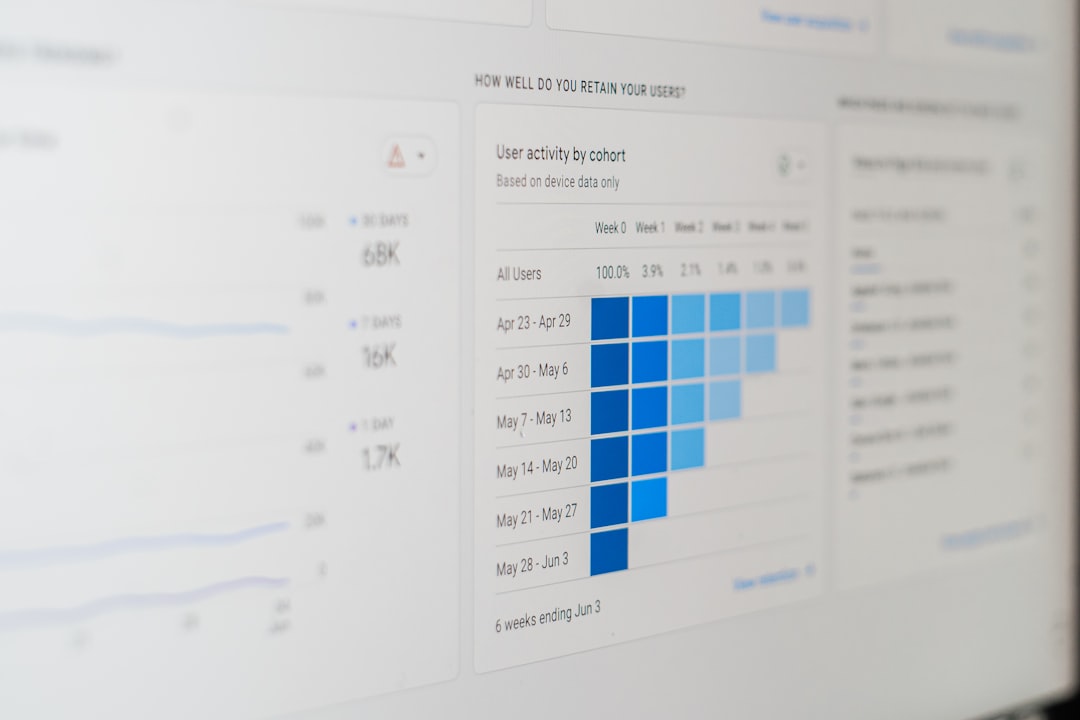
So, you want to use Google Analytics for your marketing, right? Good call. It’s an incredibly powerful tool for understanding your website visitors and making smarter decisions. In a nutshell, Google Analytics collects data about how people interact with your website – where they come from, what pages they look at, how long they stay, and what they do before they leave. This information is gold for improving your marketing efforts and getting better results. Let’s dig into how you can actually put it to work.
Before you can unlock the full potential of Google Analytics, you need to make sure it’s set up correctly. This isn’t groundbreaking stuff, but it’s crucial.
Installation and Setup
If you haven’t done this already, you’ll need to create a Google Analytics account and install the tracking code on your website. For most content management systems (CMS) like WordPress, there are plugins that make this pretty straightforward. If you’re running a custom site, you’ll typically place the code in the section of your website’s HTML on every page you want to track.
Understanding Your Views
Within your Google Analytics property, you can set up different “views.” It’s a good practice to have at least three:
- Raw View: This is your untouched data, a safety net. Don’t touch it.
- Test View: Use this for experimenting with filters or new configurations.
- Main Working View: This is where you’ll do most of your analysis. Apply filters here to exclude internal traffic (your own visits) and bot traffic, ensuring cleaner data. This helps you focus on real user behavior.
Setting Up Goals
This is where the rubber meets the road for marketers. Goals tell Analytics what a successful action looks like on your site. Without goals, you’re tracking activity, but not outcomes.
- Destination Goals: When a user lands on a specific page, like a “thank you for your purchase” page or a “contact confirmation” page.
- Duration Goals: When a user spends a certain amount of time on your site. Useful for content-heavy sites.
- Pages/Screens Per Session Goals: When a user views a specific number of pages. Again, good for content sites.
- Event Goals: When a user completes a specific interaction, like playing a video, downloading a PDF, or clicking an external link. These are powerful and often require a bit more setup with Google Tag Manager.
Don’t skip goal setup. It’s the foundation for measuring your marketing effectiveness.
Understanding Your Audience: Who Are They?
One of the most important things Google Analytics can tell you is who is visiting your site. This isn’t just vanity metrics; it directly informs your content strategy, ad targeting, and overall messaging.
Demographics and Interests
Under the “Audience” section, you can find insights into the age, gender, and interests of your visitors.
- Age and Gender: See if your assumptions about your target audience align with reality. Are you attracting younger users than you thought, or perhaps a different gender balance? This can influence your tone of voice and visual design.
- Interests (Affinity Categories & In-Market Segments): Google categorizes users based on their browsing behavior across the web. Affinity Categories show broad interests (e.g., “Foodies,” “Technophiles”), while In-Market Segments indicate users actively researching or intending to purchase products/services in a particular category (e.g., “Business Services,” “Employment”). This is incredibly useful for refining your ad targeting on platforms like Google Ads and social media.
Geo-Location and Language
Knowing where your users are located and what languages they speak is fundamental for localization and targeted campaigns.
- Location: Are your visitors concentrated in certain cities or countries? This helps you understand regional demand for your products or services. If you’re a local business, you want to see a strong presence in your service area. If you’re international, it helps prioritize translation efforts or regional marketing campaigns.
- Language: While usually tied to location, some users browse in a different language than their physical location. If you see a significant portion of your audience speaking a different language, it might be worth considering localized content or translations.
Device Usage
How your audience accesses your site dictates your design and content strategy. Mobile-first is often preached, but your data will confirm if it’s true for your audience.
- Desktop vs. Mobile vs. Tablet: Check the “Mobile” > “Overview” report. If a large percentage of your traffic comes from mobile devices, your website must be fully responsive and optimized for mobile experience. This includes load times, readability, and ease of navigation on smaller screens.
- Device Models: Diving deeper, you can even see specific device models. While less critical for general marketing, it can be useful for debugging specific display issues or understanding niche user groups.
Acquisition: Where Do They Come From?
This is where you figure out if your marketing efforts are actually bringing people to your site. The “Acquisition” reports are your starting point for understanding traffic sources.
All Traffic: Channels
This report breaks down your traffic into default groupings, known as “channels.”
- Organic Search: Visitors who found your site through search engines like Google, Bing, etc., without clicking on a paid ad. This indicates the health of your SEO efforts.
- Paid Search: Visitors who came from your paid search campaigns (e.g., Google Ads). Helps evaluate your PPC performance.
- Direct: Users who typed your URL directly into their browser, used a bookmark, or clicked an untagged link from an email or document. This usually indicates brand awareness.
- Referral: Visitors who came from another website by clicking a link (e.g., a blog mentioning your product, a forum post). Great for identifying valuable backlinks and partnerships.
- Social: Traffic from social media platforms like Facebook, Twitter, LinkedIn, Instagram. Shows the effectiveness of your social media marketing.
- Email: Traffic from your email marketing campaigns. Requires proper campaign tagging (UTM parameters) to be accurately categorized here.
- Display: Traffic from display advertising campaigns (banner ads, etc.).
By looking at these channels, you can see which marketing activities are driving the most traffic, and importantly, which ones are driving the most engaged traffic (look at bounce rate and pages/session alongside traffic volume).
Search Console Integration
If you’ve connected Google Search Console with Google Analytics, you get even richer insights into your organic search performance.
- Queries: See the actual search queries people used to find your site. This is invaluable for content creation and keyword research.
- Landing Pages: Understand which of your pages are ranking well in search results and attracting organic traffic.
- Impressions, Clicks, CTR, Position: Metrics that show not just if your site is showing up, but how often, how many people click, and where you generally rank.
Campaign Tracking (UTM Parameters)
This is absolutely mandatory for any marketing campaign that isn’t automatically tracked by Google (like Google Ads). UTM parameters are snippets of code you add to your URLs.
- utm_source: Where the traffic came from (e.g., facebook, newsletter, specific_affiliate).
- utm_medium: The marketing medium (e.g., social, email, cpc, banner).
- utm_campaign: The name of your specific campaign (e.g., summer_sale_2023, new_product_launch).
- utm_content (optional): Distinguish between similar content within the same ad or link (e.g., text_link, banner_ad).
- utm_term (optional): Primarily for paid search, to identify keywords.
Using UTMs allows you to see the exact performance of individual campaigns, emails, social posts, or banner ads in your “Acquisition > Campaigns” report. Without them, all the traffic from your email newsletter might just show up as “Direct” or “Referral,” making it impossible to evaluate.
Behavior: What Do They Do On Your Site?
Once users are on your site, what do they actually do? The “Behavior” reports give you this crucial insight.
Site Content: All Pages
This is often one of the most frequently checked reports. It shows you which pages are most popular and how users interact with them.
- Pageviews: How many times a page was viewed.
- Unique Pageviews: How many sessions included a view of that page.
- Average Time on Page: How long users spent on that specific page. Longer is generally better for content, shorter might be better for utility pages.
- Bounce Rate: The percentage of single-page sessions (users who viewed only one page and left). High bounce rate suggests the page wasn’t relevant, engaging, or had a poor user experience.
- Exit Rate: The percentage of times users left your site from that specific page. Not always bad; for instance, a “thank you for your purchase” page will naturally have a high exit rate.
Use this data to identify your top-performing content, pages that need improvement (high bounce, low time on page), and potential bottlenecks in user journeys.
Behavior Flow
This visual report shows the common paths users take through your website, from one page to the next.
- Identifying Drop-Offs: See where users commonly leave your site or diverge from your desired path. This can highlight design issues, confusing navigation, or poor content.
- Understanding User Journeys: Gain insight into how users actually navigate your site, which might be different from how you intended.
- Optimizing Conversion Paths: If you have a specific conversion funnel (e.g., product page > cart > checkout), this report helps visualize if users are moving through it as expected.
Site Search
If your website has an internal search function, setting up Site Search tracking is incredibly valuable. It tells you what users are looking for that they can’t immediately find.
- Keywords Searched: What specific terms are people typing into your search bar? This indicates user intent and unmet needs.
- Search Exits: How often do users leave your site immediately after performing a search? This suggests they didn’t find what they were looking for.
- Search Refinements: Do users perform multiple searches? This could point to poorly organized content or unhelpful search results.
This data is gold for identifying content gaps, improving your site navigation, and even generating new product ideas.
Conversions: Are Your Goals Being Met?
This is the ultimate marketing report. It tells you if your website is actually achieving its purpose, based on the goals you set up earlier.
Goals Overview
This report provides a high-level summary of your goal completions.
- Goal Completions: The total number of times your goals were met.
- Goal Value: If you assigned monetary values to your goals (e.g., a lead submission is worth $50), this report shows the total value generated.
- Conversion Rate: The percentage of sessions that resulted in a goal completion. This is a critical KPI for most marketing efforts.
Look at conversion rate by channel, by landing page, and by audience segment to understand what’s working best.
Goal Flow
Similar to Behavior Flow, but specifically focused on your defined conversion paths.
- Funnel Visualization: For destination goals (like a checkout process), this report visually shows each step in your conversion funnel.
- Drop-Off Points: Clearly identifies where users abandon the conversion process. Is it the shipping page? The payment page? This points you directly to problem areas that need optimization.
- Segmenting Drop-Offs: Can you segment users who drop off by device, location, or traffic source to find patterns? Perhaps mobile users struggle more at a specific step.
This data is indispensable for CRO (Conversion Rate Optimization).
E-commerce Reports
If you’re running an online store, setting up Enhanced E-commerce tracking is a must. This goes beyond basic goal tracking to give you detailed insights into your sales.
- Product Performance: Which products are selling well, and which ones are just taking up space?
- Sales Performance: Overall revenue, transaction count, average order value.
- Shopping Behavior Analysis: Tracks users through the product view, add to cart, checkout, and purchase stages. Essential for identifying friction points in your buying process.
- Checkout Behavior Analysis: A detailed look at each step of your checkout funnel, revealing where customers abandon their carts.
Without Enhanced E-commerce, you’re flying blind with your online store data within Analytics.
Advanced Strategies: Going Deeper
Once you’re comfortable with the basics, there are more advanced ways to leverage Google Analytics for marketing.
Custom Reports and Dashboards
The standard reports are great, but sometimes you need a specific combination of metrics and dimensions.
- Custom Reports: Build your own reports by choosing specific dimensions (e.g., source, page path, device) and metrics (e.g., sessions, bounce rate, goal completions). This allows you to focus on the data most relevant to your specific marketing goals.
- Custom Dashboards: Create a dashboard to pull together multiple widgets (mini-reports) into a single, at-a-glance view. You can share these with team members or clients. A marketing dashboard might include widgets for organic traffic, conversion rates by channel, top landing pages, and goal completions.
Segmentation
Segmentation is key to truly understanding your data. It allows you to analyze subsets of your audience based on shared characteristics or behavior.
- Pre-defined Segments: Google Analytics offers many built-in segments (e.g., “Mobile Traffic,” “Converting Users,” “Non-Bouncers”).
- Custom Segments: Create your own segments based on virtually any combination of conditions (e.g., “Users from Facebook who visited product page X,” “Users who spent more than 2 minutes on the site but didn’t convert,” “Users from specific geographic regions viewing specific content”).
Analyzing segments helps you answer questions like:
- Do mobile users convert differently than desktop users?
- Which traffic sources bring in the most engaged users?
- What content resonates most with specific demographic groups?
Integrations with Other Google Products
Google Analytics becomes even more powerful when connected with other Google tools.
- Google Ads: See your Google Ads cost data directly in Analytics, compare ad performance with website engagement metrics, and create remarketing audiences based on Analytics segments.
- Google Search Console: Already mentioned, but critical for organic search insights.
- Google Tag Manager (GTM): Essential for implementing advanced tracking (like event tracking, custom dimensions) without needing developers for every small change. GTM simplifies the process of sending data to Google Analytics.
By integrating these tools, you get a much more holistic view of your marketing performance, from initial ad click to on-site conversion.
Don’t Forget: Actionable Insights
Having all this data is useless if you don’t do anything with it. The key is to turn insights into action.
- Identify Trends: Are certain marketing channels performing better or worse over time?
- Spot Opportunities: Is there a highly visited page with a high bounce rate? Perhaps it needs more engaging content or a clearer call to action.
- Pinpoint Problems: Is your conversion rate dropping at a specific step in your checkout flow? Investigate why.
- Test Hypotheses: Use Google Analytics to measure the impact of changes you make (A/B tests, new content, design adjustments).
Google Analytics isn’t just a reporting tool; it’s a decision-making engine for your marketing. Take the time to understand it, set it up properly, and regularly dive into your data. You’ll be amazed at the insights you uncover and how much more effective your marketing becomes.