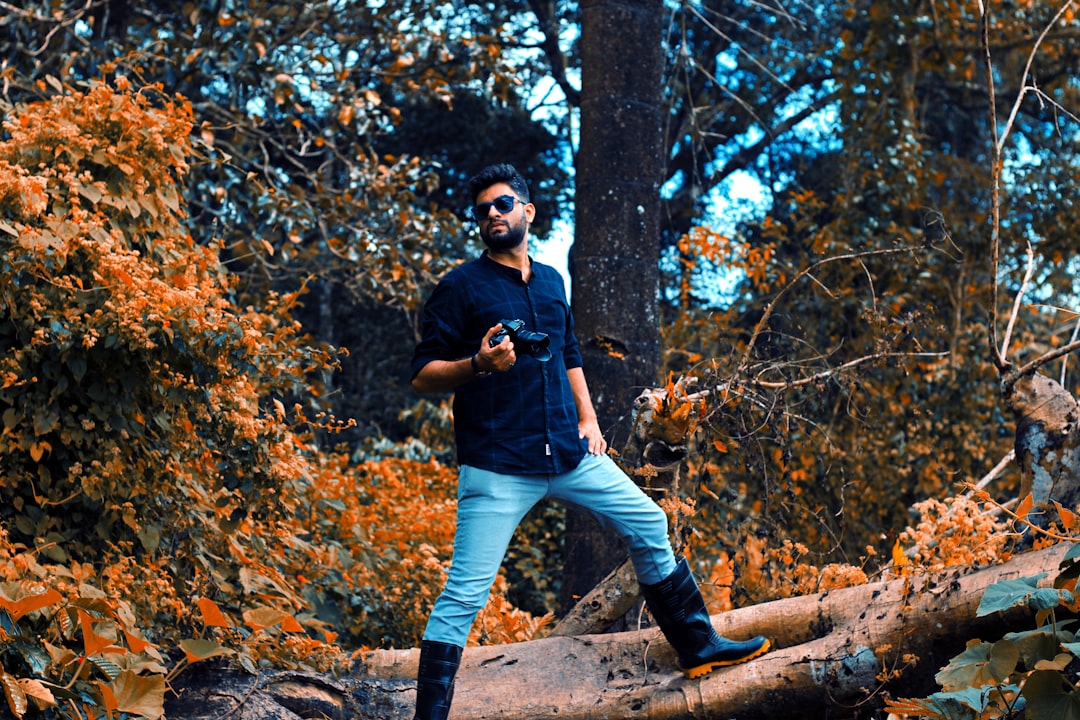
This viral TikTok photo editing trend promises a stunning, sun-kissed aesthetic. As a Senior Content Creator and Technical Tech Writer, I’ve broken down the “Trust the Process” formula to ensure clarity and practical application for everyone, from beginners to experienced editors. This guide will equip you with the exact steps, the underlying principles, and data-backed insights to replicate this popular look.
Before You Start
Before diving into the editing process, ensure you have the right foundation. These simple checks will make a significant difference in your final output.
- Use Your Native Editor: This hack is designed for native photo editors on both iPhone and Android devices. You don’t need external apps for this specific trend.
- High-Resolution Photo: Start with a clear, high-resolution image. Blurry or low-quality photos will not benefit as much from these adjustments.
- Natural Lighting is Key: This editing style thrives on natural light. Avoid heavily artificial or dimly lit environments for the best results.
- Consider the Subject: Portraits and landscapes with good natural light capture will yield the most dramatic transformations.
Understanding the “Trust the Process” Formula
The core of this TikTok trend lies in a specific sequence of adjustments. It’s called “Trust the Process” because the initial extreme settings are crucial before refining the image.
The formula involves pushing certain sliders to their maximum and then meticulously bringing them back down. This creates a unique foundation for the final look.
Step 1: Setting the Stage
The first phase of the “Trust the Process” formula involves setting the Exposure and Brilliance to their absolute maximum. This might seem counterintuitive, but it prepares the image for subsequent fine-tuning.
- Exposure to 100: This dramatically brightens the entire image, pushing the limits of the native editor. It ensures all areas are considered for manipulation.
- Brilliance to 100: Similar to exposure, brilliance amplifies the light and detail within the image. This combined approach creates a bright, almost overexposed baseline.
Step 2: The Deliberate Descent
After pushing Exposure and Brilliance to 100, the next steps involve carefully decreasing specific sliders. This is where the magic of the “Trust the Process” formula truly begins to take shape.
This deliberate reduction targets highlights, shadows, contrast, and brightness, bringing the image back from extreme overexposure to a more nuanced brightness.
Step 3: Refining the Luminance and Color
The remaining adjustments in this initial phase focus on fine-tuning the image’s overall luminance and color balance. These steps are critical for building the specific aesthetic.
They add subtle depth and vibrancy without over-saturating the image.
The Specific Viral Settings Breakdown
Here are the exact numerical settings to input into your native photo editor. Following these precisely is essential to replicating the viral look.
- Exposure: 100
- Brilliance: 100
- Highlights: -35
- Shadows: -28
- Contrast: -30
- Brightness: -15
- Black Point: 10
- Saturation: 10
- Vibrance: 8
- Warmth: 10
- Tint: 39
- Vignette: 23
Understanding Each Adjustment
Each slider plays a specific role in shaping the final image. Knowing their function will help you understand why this process works.
Exposure and Brilliance: The Foundation
- Exposure to 100: This initial over-brightening sets the stage. It ensures that even the darkest parts of the photo have enough light information to be manipulated later.
- Brilliance to 100: Brilliance works in conjunction with exposure to significantly enhance the perceived brightness and detail. It’s about making the entire scene pop initially.
Mid-Range Adjustments: Sculpting Light and Dark
- Highlights to -35: This crucial step pulls back the brightest areas that were pushed too far. It prevents blown-out skies or overly bright skin tones.
- Shadows to -28: Reducing shadows adds depth and prevents the image from looking flat after the initial over-brightening. It brings back some visible detail in darker areas.
- Contrast to -30: Decreasing contrast softens the image, making transitions between light and dark areas more gradual. This contributes to the dreamy, diffused look.
- Brightness to -15: This final subtle reduction in overall brightness brings the image back from potential overexposure without losing the impact of the previous adjustments.
Color and Tone Refinements: Adding Specificity
- Black Point to 10: Setting the black point slightly higher prevents true blacks and introduces a subtle lift. This contributes to the hazy, sun-drenched feeling.
- Saturation to 10: A minimal increase in saturation ensures colors remain vibrant but not overwhelming. It adds a touch of life without appearing artificial.
- Vibrance to 8: Vibrance selectively boosts less saturated colors. This helps to enhance natural tones without making primary colors appear cartoonish.
- Warmth to 10: A small increase in warmth adds a subtle golden hue, evoking the feeling of sunshine. This is a key component of the “sunkissed” aesthetic.
- Tint to 39: Adjusting the tint towards green is a signature element of this trend. It balances the warmth and adds a unique, slightly desaturated, yet inviting color cast.
The Artistic Touch: Vignette
- Vignette to 23: A moderate vignette darkens the edges of the photo, drawing the viewer’s eye towards the center. This enhances focus and adds a professional, finished look.
The Big Reveal: Achieving the “Sunkissed” Look
The “Trust the Process” formula culminates in a single, transformative step. This is the secret sauce that unlocks the signature “sunkissed” effect.
This final adjustment is what distinguishes this trend from a simple brightness boost. It’s about reclaiming control after the initial extreme settings.
Reverting Exposure and Brilliance to Zero
This is the most critical and often surprising part of the trend. It seems counterintuitive to bring these back down after setting them to 100.
However, this action intentionally masks the extreme initial adjustments, leaving their subtle influences behind. It’s about leveraging the process rather than the peak settings.
- Sliding Exposure back to 0: This action doesn’t simply return the image to its original brightness. Instead, it neutralizes the aggressive initial lift, leaving behind a softened, diffused brightened effect.
- Sliding Brilliance back to 0: Similarly, bringing Brilliance back to zero preserves the refined detail and luminosity that was initially amplified. It ensures the image doesn’t look harsh but retains a gentle radiance.
This careful reversion is what creates the illusion of natural, diffused sunlight. The image appears subtly brighter and more luminous without the tell-tale signs of heavy editing.
Data-Backed Advice: Why This Works
Content trends in 2026 are increasingly leaning towards authenticity and natural aesthetics. This editing style aligns perfectly with those emerging preferences.
The “sunkissed” look, achieved through this process, evokes a sense of warmth, happiness, and effortless beauty. It’s aspirational without being overly manufactured.
The Power of Natural Lighting and Golden Hour
This editing trend is specifically designed to enhance natural light. It works best when the original photo has been taken under optimal lighting conditions.
- Natural Lighting: Photos taken outdoors with ample, diffused natural light are ideal. Think bright, overcast days or shaded areas.
- Golden Hour Photos: The period shortly after sunrise or before sunset offers a warm, soft light that is naturally complementary to these settings. This is when the “sunkissed” effect is most pronounced.
In 2026, content consumption is moving towards relatable and visually pleasing aesthetics. The “Golden Hour settings” for this iPhone photo editing hack provide just that.
Why This Method Connects with Users
The appeal of this TikTok viral filter lies in its ability to transform everyday photos into something special. It’s accessible and yields impressive results.
- Perceived Authenticity: The “sunkissed” look feels organic. It doesn’t appear heavily edited, making the subject and scene feel more natural and relatable.
- Emotional Resonance: Warm, bright, and slightly diffused lighting often evokes positive emotions like joy, relaxation, and nostalgia. This emotional connection is key for viral content.
- Ease of Replication: The step-by-step nature of this hack, combined with the use of native editors, makes it highly accessible. Anyone with a smartphone can achieve this look.
Troubleshooting Common Issues
Even with clear instructions, you might encounter minor hurdles. Here’s how to address them.
Image Too Bright/Dark After Editing
If your image still feels too bright or too dark after applying all the settings, fine-tune the main luminance sliders.
- Too Bright: Slightly decrease Exposure or Brilliance (or both) by a few more points. You can also try reducing the Vignette slightly.
- Too Dark: Slightly increase Exposure or Brilliance by a few points. You might also consider a small increase in Shadows.
Colors Appear Washed Out
This can happen if the original photo had very muted colors.
- Boost Saturation/Vibrance: Gently increase Saturation or Vibrance by a point or two.
- Adjust Warmth: A slight increase in Warmth can also help to bring back richness without overdoing it.
Tint Feels Off
The Tint slider can be sensitive. If 39 feels too green or not green enough:
- Experiment with Tint: Move it up or down by a few points. Pay attention to how it affects skin tones and other colors in the image.
- Rebalance with Warmth: If you adjust Tint significantly, you might need to slightly tweak Warmth to maintain a pleasant overall balance.
Advanced Tweaks and Personalization
While the provided settings are excellent, they are a base. Feel free to experiment slightly once you’ve mastered the core formula.
Subtle Adjustments for Different Photos
Not every photo will be identical. You might need minor tweaks for specific subjects or lighting conditions.
- Portraits: For portraits, you might want to be slightly gentler with the Vignette to avoid darkening the edges of the face. Consider decreasing it by a few points.
- Landscapes: Landscapes might benefit from a touch more Saturation or Vibrance to make the natural scenery pop.
Exploring Alternatives to Tint and Warmth
While Tint 39 and Warmth 10 are specific to the trend, understanding their purpose allows for adaptation.
- Warmer Tones: If the image feels too cool even with Warmth at 10, increase it by another 5-10 points.
- Cooler Tones: Conversely, if the image feels too warm for your liking, decrease Warmth. You may then adjust Tint to compensate for any color shift.
Conclusion: Mastering the Viral Aesthetic
This step-by-step guide demystifies the popular “Trust the Process” formula for achieving the viral “sunkissed” look on TikTok. By meticulously following the specified settings and understanding the underlying principles, even beginners can elevate their mobile photography.
The beauty of this trend lies in its accessibility and its ability to tap into the growing demand for authentic, naturally enhanced visuals. As content creation evolves towards more organic aesthetics, mastering this iPhone photo editing hack and these Golden hour settings will undoubtedly prove valuable. Remember to always start with a good quality, naturally lit photo, and don’t be afraid to make subtle personalizations after you’ve grasped the core technique. With practice, you’ll be creating stunning, sun-kissed images that capture attention and engagement.
FAQs
The viral TikTok photo editing trend involves using specific editing techniques and filters to achieve a unique and eye-catching aesthetic for photos, often with a vintage or nostalgic feel.
The step-by-step guide for the viral TikTok photo editing trend typically involves using popular photo editing apps, such as VSCO or Adobe Lightroom, to apply specific filters, adjust settings, and add effects to achieve the desired look.
Some key tips for successfully doing the viral TikTok photo editing trend include experimenting with different filters and settings, paying attention to lighting and composition in your photos, and staying updated on the latest editing trends and techniques.
Popular apps for editing photos for the viral TikTok trend include VSCO, Adobe Lightroom, Afterlight, and Snapseed, among others. These apps offer a wide range of filters, effects, and editing tools to help achieve the desired aesthetic.
Once you have edited your photos for the viral TikTok trend, you can share them on TikTok by creating a video showcasing the before-and-after editing process, or by simply posting the edited photos with relevant hashtags to reach a wider audience.