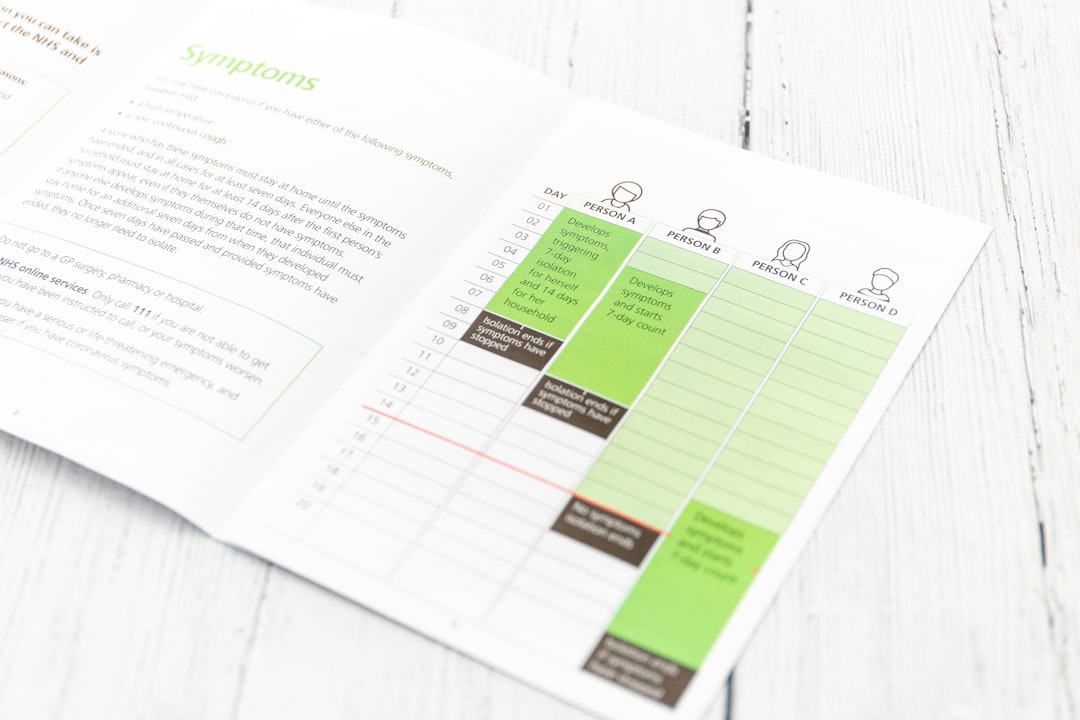
So, you’re wondering if a content calendar is really worth the fuss? The short answer is a resounding yes. Think of it as your marketing roadmap, your secret weapon for staying organized, producing consistent and relevant content, and ultimately, getting your message out there effectively without the last-minute scramble. It’s not about rigid rules; it’s about smart planning that frees up your creative energy for the actual work of creating great content.
Let’s be honest, marketing can feel like juggling a dozen balls at once. You’ve got social media posts, blog articles, email newsletters, maybe even video scripts, and all of it needs to be planned, created, approved, and published. Without a system, it’s easy for things to slip through the cracks. A content calendar isn’t just a fancy spreadsheet; it’s a foundational tool that brings order to the chaos. It ensures you’re not just posting for the sake of it, but that your content has purpose and direction, aligning with your overall marketing goals. It’s about being proactive, not reactive.
Consistency Builds Trust
Our brains are wired for patterns. When you consistently show up with valuable content, you start to build a level of predictability and trust with your audience. They know when to expect something from you, and they learn to value what you deliver. An ad-hoc approach, on the other hand, can make you appear unreliable or, worse, like you don’t really care about engaging with your audience. A calendar helps you maintain that crucial rhythm.
Strategic Alignment
Are you launching a new product? Running a seasonal campaign? Trying to boost traffic to a specific page? Your content calendar is the perfect place to visualize how your content will support these broader objectives. You can map out themes, keywords, and specific pieces of content that directly address your campaign goals. This prevents you from creating content in a vacuum that doesn’t actually move the needle for your business.
Team Collaboration and Efficiency
If you work with a team, a shared content calendar is a lifesaver. Everyone knows who’s responsible for what, when it’s due, and what the overall plan is. This reduces miscommunication, avoids duplicate efforts, and allows for smoother collaboration between writers, designers, social media managers, and anyone else involved in the content process. It streamlines approvals and ensures everyone is on the same page.
Measuring What Matters
By planning your content in advance, you can also set specific goals and identify metrics for each piece. This makes it much easier to track performance later on. You can see which types of content resonate most with your audience, which channels are most effective, and where you might need to adjust your strategy. Without this planning, measuring success becomes a lot more guesswork.
Getting Started: What Goes into a Content Calendar?
Alright, so you’re convinced. But what exactly do you need to include? It’s not about cramming every single detail into a single cell. It’s about having the right information at a glance to guide your content creation and publishing. The key is to find a balance that works for you and your team.
The Essentials for Every Entry
At its core, each item on your calendar needs a few key pieces of information. Think of these as the building blocks that tell you what, when, and why.
Content Title/Topic
This is the most basic element. What is this piece of content actually about? Be descriptive enough so you can quickly identify it.
Content Type/Format
Are we talking about a blog post, an Instagram Reel, a Twitter thread, an email newsletter, a podcast episode, an infographic, a webinar? Clearly defining the format helps you assign the right resources and plan production accordingly.
Target Audience/Persona
Who are you trying to reach with this specific piece? Tailoring your content becomes much more effective when you have a clear understanding of your intended reader or viewer.
Key Message/Goal
What is the one main takeaway you want your audience to get from this content? What action do you want them to take, if any? This helps ensure your content is purposeful and not just filler.
Publication Date/Time
This is the obvious one – when is this piece going live? Be specific, especially with social media, as timing can be crucial.
Responsible Team Member/Owner
Who is accountable for getting this content created and published? This is vital for clear delegation and ensuring deadlines are met.
Adding Depth: Going Beyond the Basics
Once you have the essentials down, you can start adding layers of detail that make your calendar even more powerful. These additions can significantly improve your content strategy and execution.
Keywords and SEO Focus
If SEO is important to your strategy, jotting down the primary keywords or phrases you’re targeting for a piece of content is incredibly helpful. This helps ensure your content is discoverable and aligns with your search engine optimization efforts.
Call to Action (CTA)
What do you want people to do after consuming this content? Visit a landing page? Download a guide? Sign up for a webinar? Clearly stating the CTA helps you design the content to drive specific actions.
Status (Draft, In Review, Scheduled, Published)
Keeping track of the progress of each content piece is essential for managing your workflow. This helps everyone involved see where things stand and identify any bottlenecks.
Associated Campaign/Theme
If this content is part of a larger marketing campaign or fits into a specific thematic month (e.g., National ________ Month), linking it clearly helps maintain strategic focus and coherence.
Internal Links to Consider
For blog posts or longer-form content, identifying relevant internal pages on your website that you can link to is a great way to improve user experience and SEO.
External Links to Consider
Similarly, planning any relevant external resources you might link to can add credibility and value to your content.
Notes/Brief
This is your space for any additional context, inspiration, specific instructions for creators, or even rough ideas about the content’s angle or tone.
Choosing the Right Tool for Your Content Calendar
The ‘what’ is important, but the ‘how’ can make all the difference. The tool you use to house your content calendar should be one that’s accessible, easy to use, and fits your team’s workflow. There’s no single perfect solution; it’s about finding what works best for your specific needs.
Spreadsheet Simplicity
For many, a good old spreadsheet is the starting point, and honestly, it can be incredibly effective. Google Sheets and Excel offer a lot of flexibility and are readily available.
Pros:
- Accessibility: Most people are familiar with spreadsheets.
- Customization: You can tailor columns and formatting to your exact needs.
- Cost-Effective: Often free or part of existing software suites.
- Easy Collaboration (with cloud-based options): Google Sheets, for instance, makes real-time collaboration a breeze.
Cons:
- Can become unwieldy: As your content volume grows, spreadsheets can become difficult to navigate.
- Limited visualization: Harder to see timelines or dependencies at a glance compared to dedicated tools.
- Manual updates: Can require more manual effort for organizing and tracking progress.
Dedicated Content Calendar Tools
There are a host of software solutions specifically designed for content calendars. These often offer more advanced features for planning, collaboration, and workflow management.
Examples:
- Asana, Trello, Monday.com: These project management tools can be configured to function as content calendars, offering Kanban boards, Gantt charts, and task management.
- CoSchedule, Loomly, Buffer Publish: These are more specialized content marketing platforms that often include calendar planning, social media scheduling, and analytics.
Pros:
- Robust features: Designed for marketing workflows, with built-in scheduling, collaboration, and approval processes.
- Visual appeal and organization: Often offer more visually intuitive layouts like calendars or Kanban boards.
- Automation: Can automate certain tasks like social media posting.
- Integration: Many integrate with other marketing tools.
Cons:
- Cost: Many of these tools have subscription fees, which can add up.
- Learning curve: Can sometimes take time to learn and master all their functionalities.
- Overkill for small teams: Might be more than you need if you have a very small operation.
Project Management Software
If you’re already using a project management tool for other aspects of your business, it might make sense to leverage it for your content calendar as well. This keeps all your planning in one place.
Pros:
- Centralized information: All your project planning is within a single platform.
- Familiarity: Your team may already be trained on and comfortable with the software.
- Integration with other projects: Can tie content efforts directly to broader marketing initiatives.
Cons:
- May require customization: Might not have out-of-the-box content calendar features, requiring you to build them.
- Can become cluttered: If not well-organized, content planning can get lost among other tasks.
Building Your Content Calendar: A Step-by-Step Approach
Now that you know what to include and what tools to consider, let’s break down how to actually build your content calendar. It’s a process that involves a bit of upfront thinking but pays off immensely.
Step 1: Define Your Overarching Goals
Before you even think about specific posts, take a step back. What are you trying to achieve with your marketing efforts this quarter? This year? Are you aiming for brand awareness, lead generation, customer engagement, website traffic, or sales? Your content calendar should be a direct reflection of these goals.
Step 2: Brainstorm Content Ideas
This is where the creativity comes in. Think about your audience’s pain points, their questions, their interests. What topics would be valuable, informative, or entertaining for them? Consider different angles for existing topics.
Themes and Pillars:
To avoid random ideas, group your brainstormed topics into broader themes or content pillars. These are the core subjects your brand will consistently talk about. For example, a fitness brand might have pillars like “Nutrition Tips,” “Workout Routines,” and “Mindset & Motivation.”
Content Formats Exploration:
Don’t just stick to one format. Think about how you can present your ideas as blog posts, videos, social media updates, infographics, live Q&As, or even downloadable guides. Diversifying formats can reach a wider audience and keep your content fresh.
Step 3: Map Out Your Publishing Cadence
How often will you publish on each channel? This depends on your resources, your audience’s consumption habits, and your industry. Consistency is key, but don’t overcommit.
Channel-Specific Frequency:
- Blog: Weekly, bi-weekly, or monthly is common.
- Social Media: Daily or multiple times a day for platforms like Twitter and Instagram Stories, less frequently for LinkedIn or Facebook depending on your audience.
- Email Newsletter: Weekly, bi-weekly, or monthly.
Seasonal and Event Planning:
Overlay your calendar with significant dates, holidays, industry events, or product launches. Plan content that aligns with these timely opportunities.
Step 4: Populate Your Calendar
Now it’s time to start filling in the blanks. As you schedule content, make sure you’re balancing your different content pillars and formats.
Keyword Research Integration:
If SEO is a priority, incorporate keyword research into this step. Identify target keywords for your blog posts and even relevant hashtags for social media.
CTA Alignment:
For each piece of content, ensure you’ve assigned a clear Call to Action that aligns with your marketing goals.
Step 5: Assign Responsibilities and Deadlines
Clearly define who is responsible for each task (writing, editing, design, scheduling, etc.) and set realistic internal deadlines. Work backward from your publication date to establish these.
Workflow Visualization:
If you’re using a tool like Trello or Asana, visualize your workflow with different stages (e.g., Ideation, Drafting, Review, Approved, Scheduled).
Step 6: Review and Refine
Your content calendar isn’t set in stone. Regularly review its effectiveness. What’s working? What’s not? Be prepared to adjust your plan based on performance data and audience feedback.
Performance Analysis:
Set aside time each month or quarter to analyze the performance of your published content. Which pieces generated the most engagement, traffic, or leads? Use this data to inform future planning.
Flexibility is Key:
Sometimes, a trending topic or a breaking news event will require you to pivot your content plan. Build some flexibility into your calendar to accommodate these spontaneous opportunities.
Tips for Maintaining a Successful Content Calendar
Creating a content calendar is just the first step. The real magic happens when you consistently use and maintain it. Here are some practical tips to keep yours humming along smoothly.
Batching Your Work
Dedicate specific blocks of time to content creation. Instead of writing one blog post at a time, set aside a day or half-day to write multiple drafts. This “batching” can significantly boost your productivity by minimizing context switching.
The Power of Deep Work:
By focusing on a single content type or task for an extended period, you can enter a state of “deep work,” leading to higher quality output and less mental fatigue.
Standardize Your Processes
If you have recurring content types (e.g., weekly blog posts), create templates or checklists for their creation. This ensures consistency in quality and saves time by not having to reinvent the wheel each time.
Content Briefs for Clarity:
For complex pieces or when working with freelancers, a detailed content brief can be invaluable. It outlines the topic, target audience, key takeaways, desired tone, and any specific requirements.
Regular Team Syncs
Even with a clear calendar, communication is key. Schedule brief, regular check-ins with your content team to discuss progress, address roadblocks, and ensure everyone is aligned.
Agile Content Planning:
Adopt an agile mindset. Be prepared to iterate and adapt your content plan based on real-time feedback and performance data. It doesn’t need to be a rigid, unchangeable document.
Don’t Be Afraid to Repurpose
Don’t let good content go to waste. Think about how you can repurpose existing high-performing content into different formats. A popular blog post could become an infographic, a series of social media tips, or even a short video.
Evergreen Content Strategy:
Identify “evergreen” content – pieces that remain relevant over time. These are excellent candidates for regular repurposing and can provide a steady stream of value.
Embrace Feedback
Encourage feedback from your team and your audience. What kind of content are they asking for? What’s resonating? Use this input to continuously refine your content calendar and strategy.
Audience-Driven Content:
When your content calendar is informed by what your audience truly wants and needs, you’re far more likely to see meaningful engagement and achieve your marketing objectives.
Conclusion: Your Content Calendar as a Growth Engine
Ultimately, a content calendar is more than just a schedule; it’s a strategic tool that fuels your marketing engine. It transforms a chaotic, reactive approach into a deliberate, goal-oriented process. By investing time in planning, you gain clarity, efficiency, and a more impactful presence. It’s the difference between shouting into the void and having a well-orchestrated conversation with your audience that builds relationships and drives results. So, start small, find a system that works for you, and watch how a little bit of planning can unlock a lot of marketing potential.